Author: Jason Beattie
In this series, we will cover the process of creating a secure web server and enabling access through a load balancer, utilizing a self-signed certificate. The steps we will explore include:
-
Creating a Vault and Managed Encryption Key (MEK): Setting up secure storage for sensitive data and keys.
-
Creating an Instance and Installing HTTPD: Setting up the server, installing the HTTPD service, and configuring the index.html page.
-
Generating a Self-Signed Certificate: Using the certificate store to create a secure certificate for the server.
-
Configuring a Load Balancer: Setting up a load balancer that utilizes the self-signed certificate for secure and efficient traffic distribution.
This guide will provide detailed instructions, practical examples, and key insights to help you implement a secure and scalable web server solution. Let’s start by creating a secure vault and encryption key.
Part 1
Follow the bellows steps.
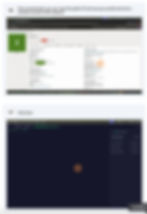
We will first create the instance and the web service as follows: