I had six Object Storage buckets in OCI Commercial Frankfurt that I needed to copy into a separate tenancy in EU Sovereign Frankfurt. The target buckets already existed, and some already contained data. I needed to copy what was missing while preserving the original object names and the files already in the target.
The Object Storage migration was subsequently reported complete. This post walks through the transfer host choice, the CLI checks that failed first, the sizing step, the editable script, and how verification works when the destination already holds folders and files.
Why I used a transfer host
The source was Commercial Frankfurt (eu-frankfurt-1). The destination was EU Sovereign Frankfurt (eu-frankfurt-2). I ran the transfer from my Mac. Those regions belong to separate OCI realms, so there is no native cross-realm Object Storage copy path I could lean on for this job.
The practical path is client-side. The script downloads one object from the commercial tenancy, uploads that same payload to the sovereign tenancy under the original object name, then clears the temporary file before the next object. Staging one object at a time makes the largest object the practical disk-space benchmark. Total bucket size matters for runtime, but free space on the transfer host only needs to cover the biggest single object plus a little headroom.
Test the existing CLI profiles
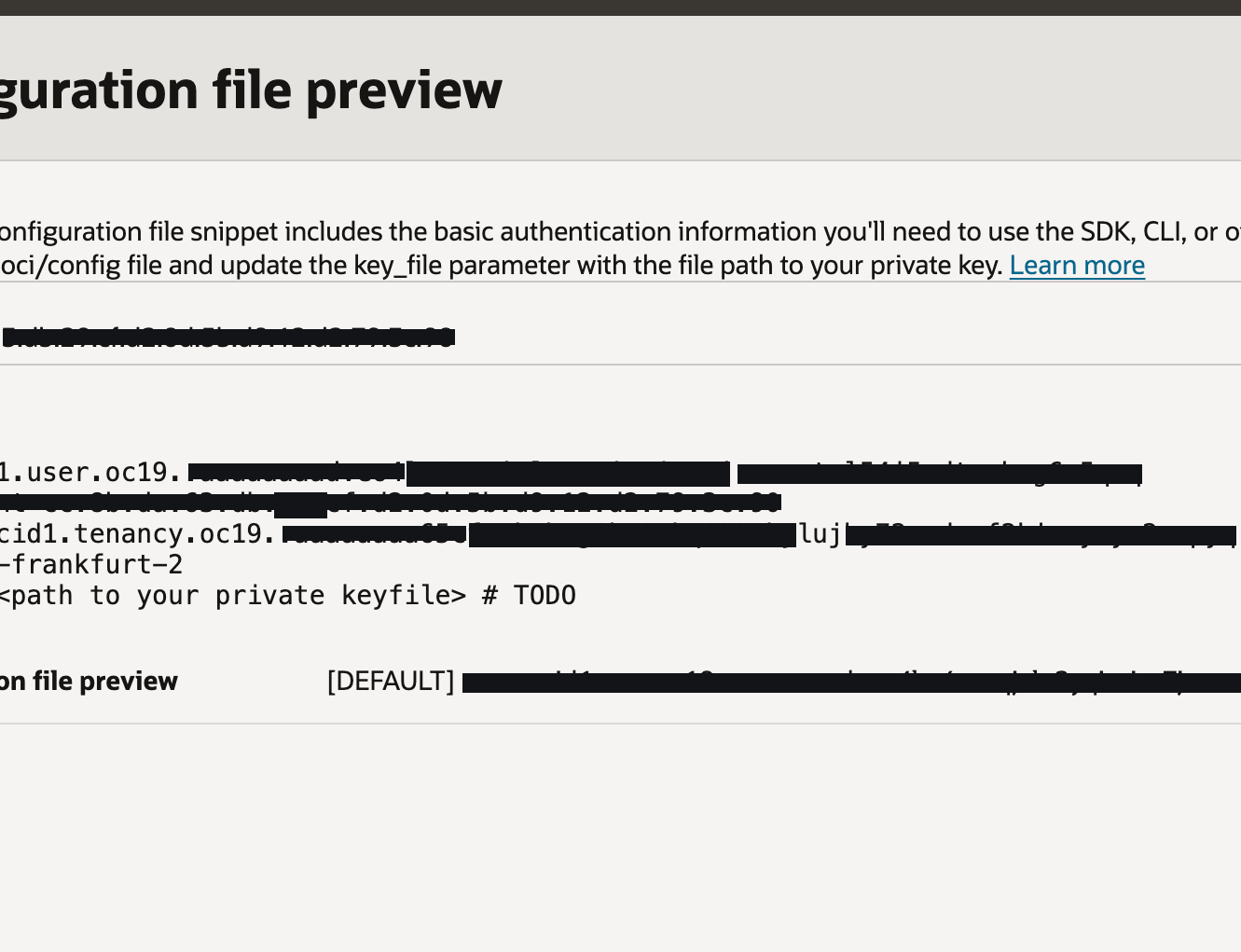
I use COMMERCIAL for eu-frankfurt-1 and EU_SOV for eu-frankfurt-2. The sovereign API key configuration preview shows the fields that belong in ~/.oci/config. Sensitive identifiers are redacted inline in the screenshots.
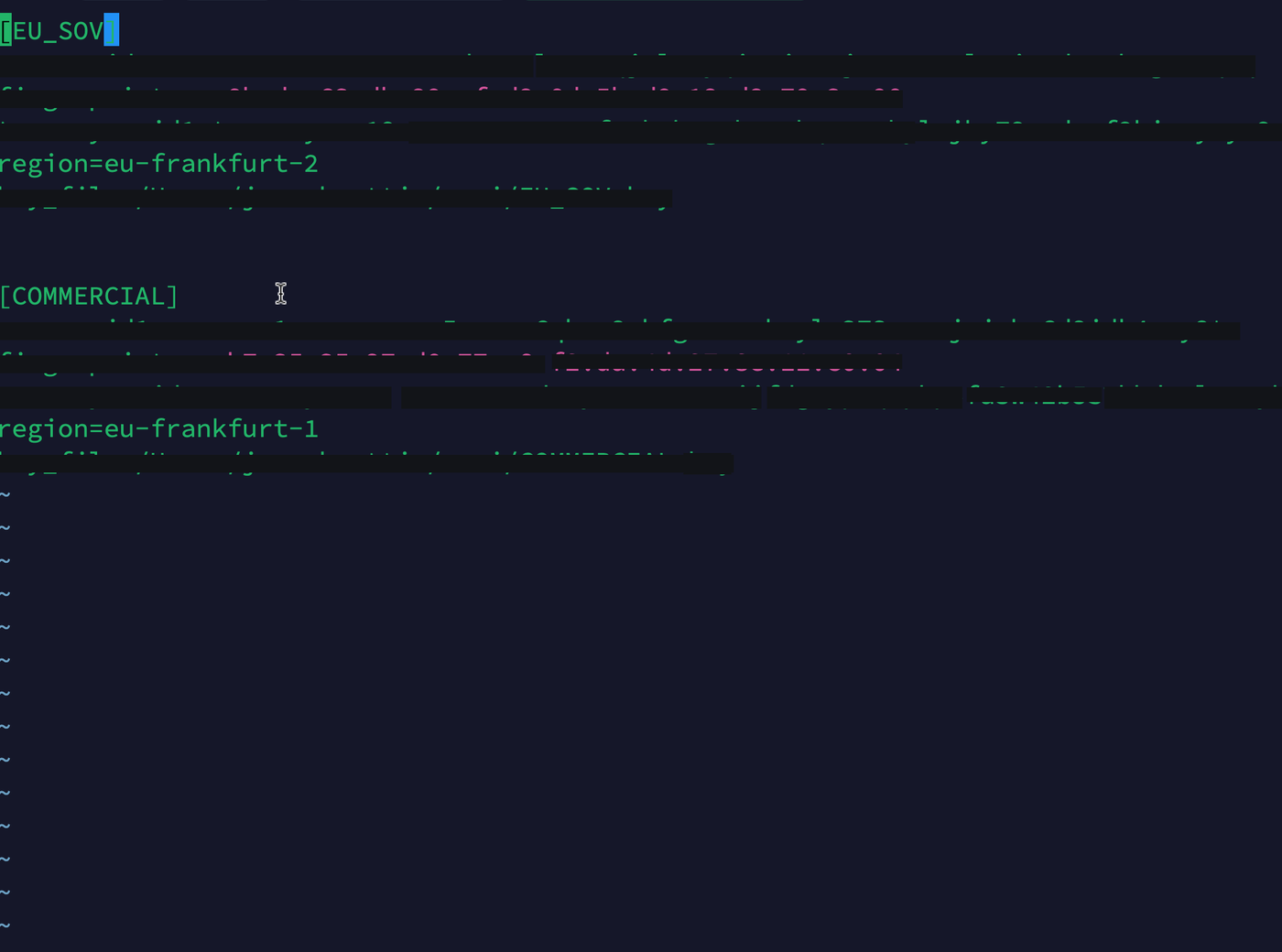
The working CLI config keeps both tenancies as named profiles, with matching private key files on disk.
Before touching a bucket, I run the same namespace check against both profiles:
oci os ns get --profile COMMERCIAL --auth api_key \
  --region eu-frankfurt-1 --query data --raw-output

oci os ns get --profile EU_SOV --auth api_key \
  --region eu-frankfurt-2 --query data --raw-output
The first run gave me two different failures. Commercial reached OCI and returned 401 NotAuthenticated. The fingerprint derived from the local private key differed from the fingerprint configured for the profile. Sovereign failed before it made a request because the profile pointed at the wrong key filename. Once the key configuration was corrected, both commands returned their tenancy namespace.
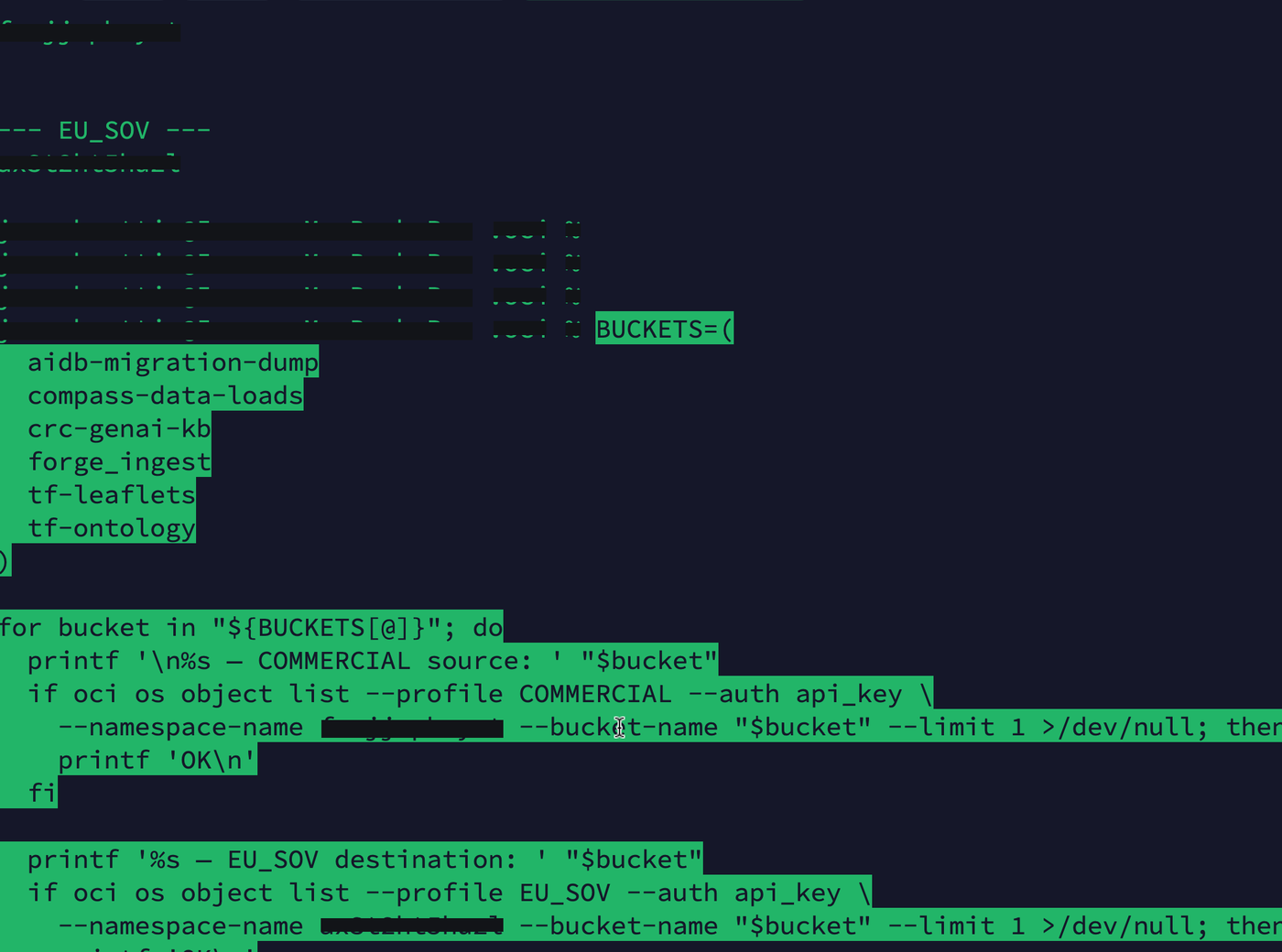
A successful namespace lookup confirms authentication. Bucket listing and upload are separate checks. I still need an object list against each bucket before I trust the mapping, and an upload only proves write access when I actually copy.
Oracle references for this section: Using the OCI CLI and oci os ns get.
Check the bucket names
The bucket checks caught a simpler problem. One name needed a hyphen in place of an underscore. Another needed a trailing s. Both typos returned 404 BucketNotFound. That is the same response OCI can give when a user lacks access, so I check the exact name and region in the console before changing IAM.
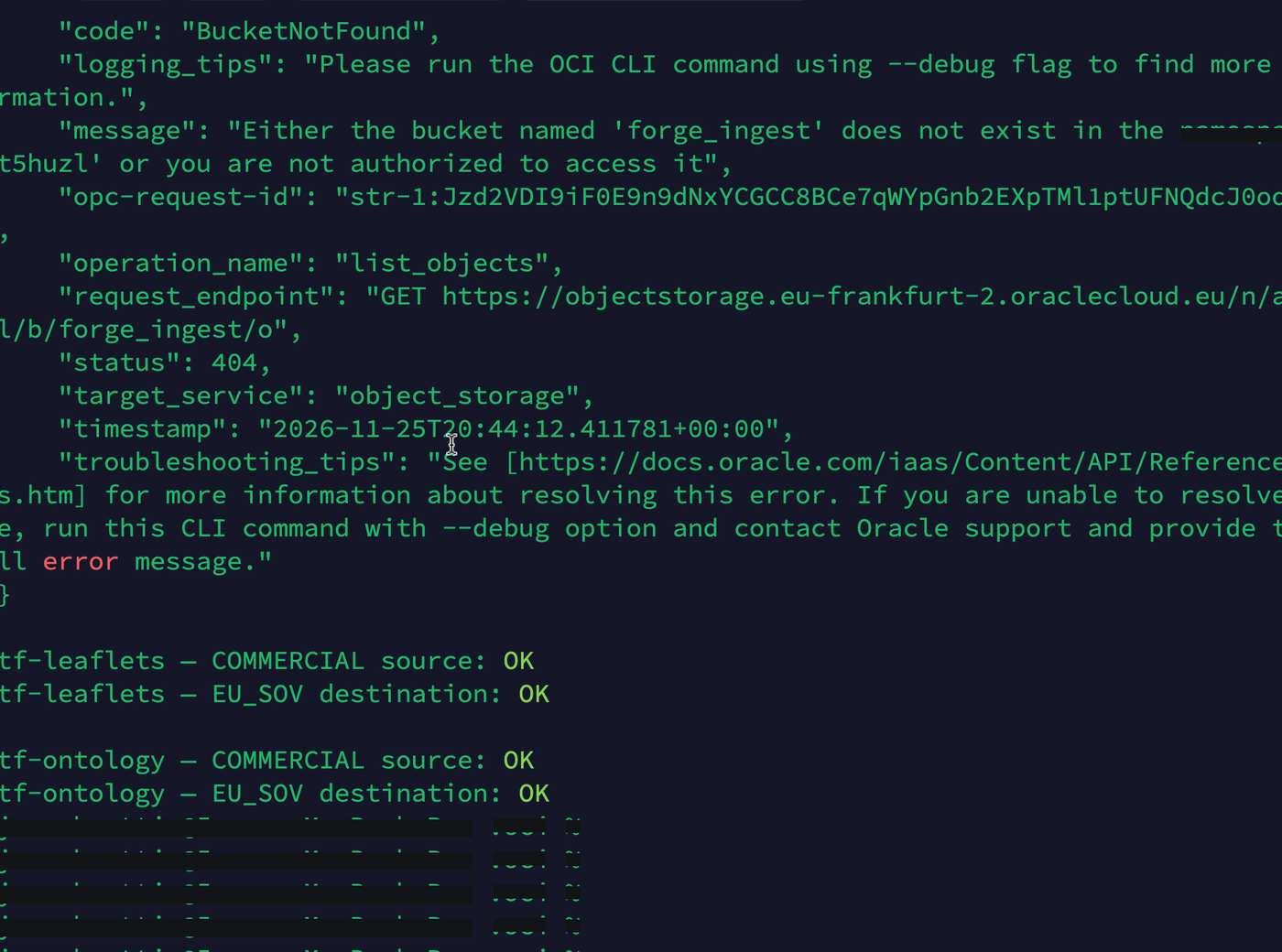
Here are the public example checks, using the same source and target names as the script:
oci os object list --profile COMMERCIAL --auth api_key \
  --region eu-frankfurt-1 --namespace-name '<source-namespace>' \
  --bucket-name app-data --limit 1

oci os object list --profile EU_SOV --auth api_key \
  --region eu-frankfurt-2 --namespace-name '<target-namespace>' \
  --bucket-name app-data-sovereign --limit 1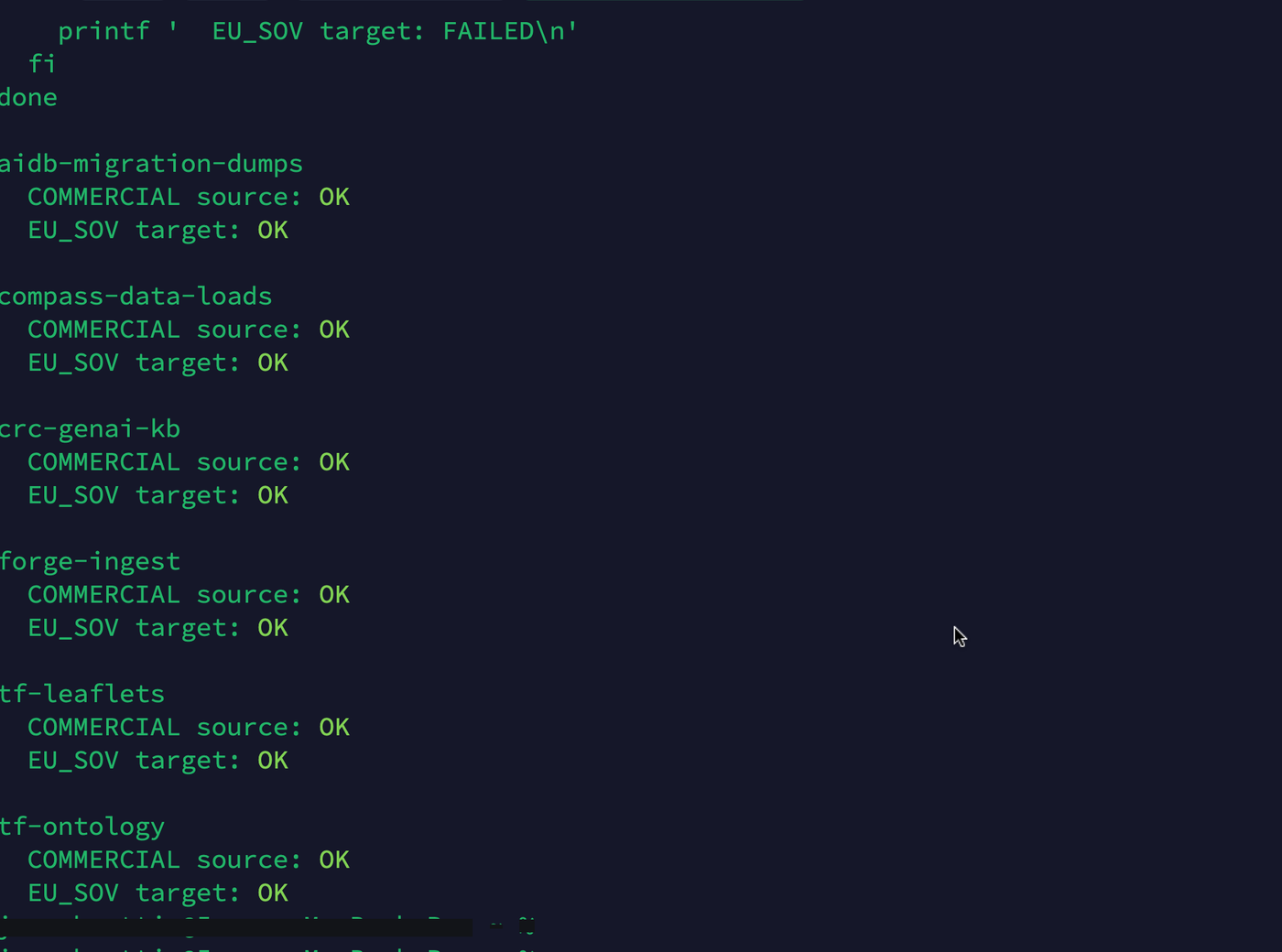
Oracle reference: oci os object list.
Measure the source and understand the staging requirement
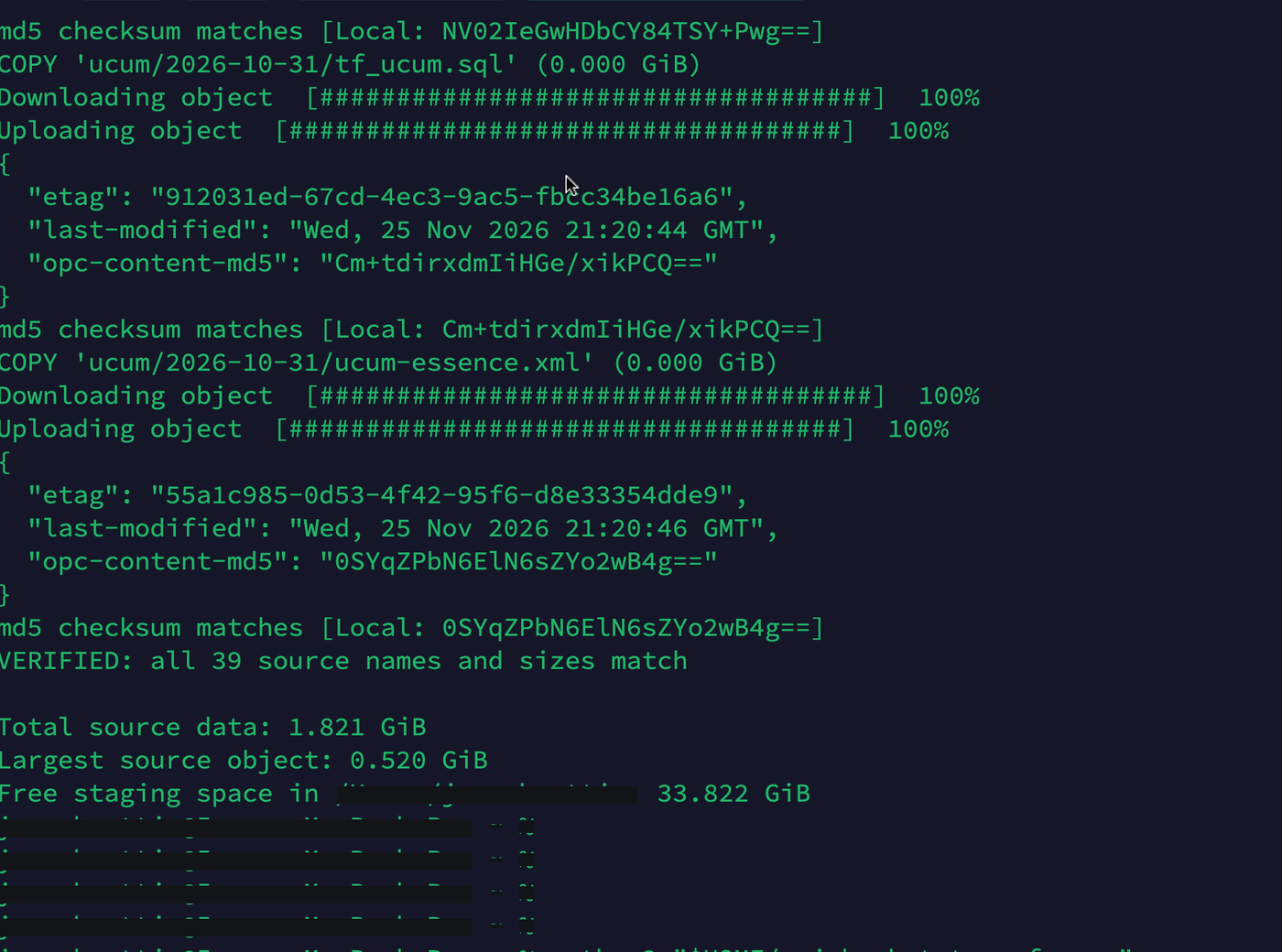
I wanted two numbers for each bucket. The total size tells me how much data will pass through the Mac. The largest object tells me how much staging space I need. The script gets both from a paginated listing using oci os object list --all --fields name,size. Object count alone gives little indication of staging requirements.
python3 oci-bucket-transfer.py sizeObserved figures from the run, with generic labels:
| Source bucket | Objects | Total size | Largest object |
|---|---|---|---|
| Dump bucket | 5 | 0.520 GiB | 0.520 GiB |
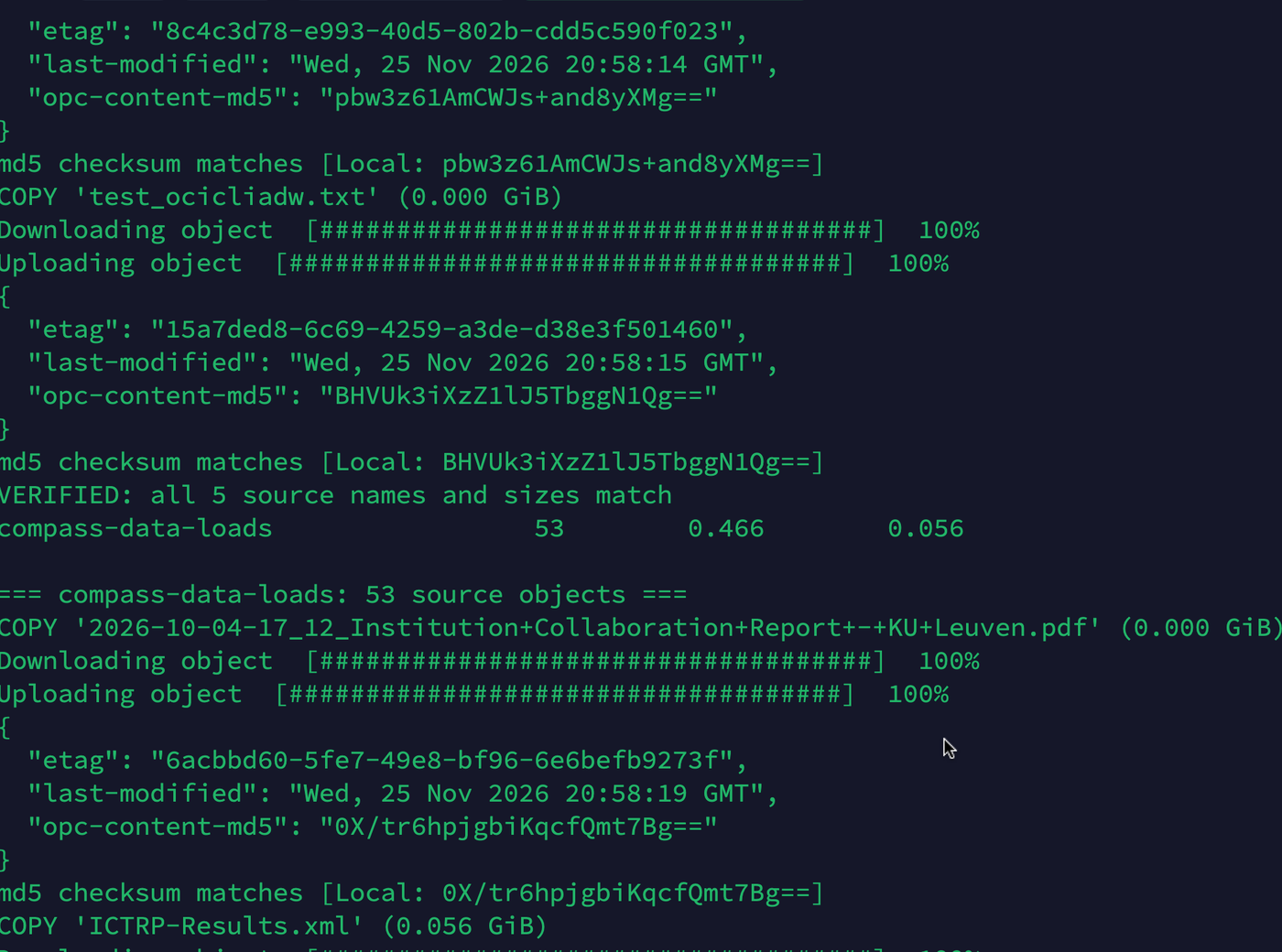
| Another bucket | 53 | 0.466 GiB | 0.056 GiB |
The second bucket has more than ten times as many objects, but its largest file needs about a tenth of the staging space of the largest dump object. Free space on the transfer host has to clear that largest object, not the sum of every object at once.
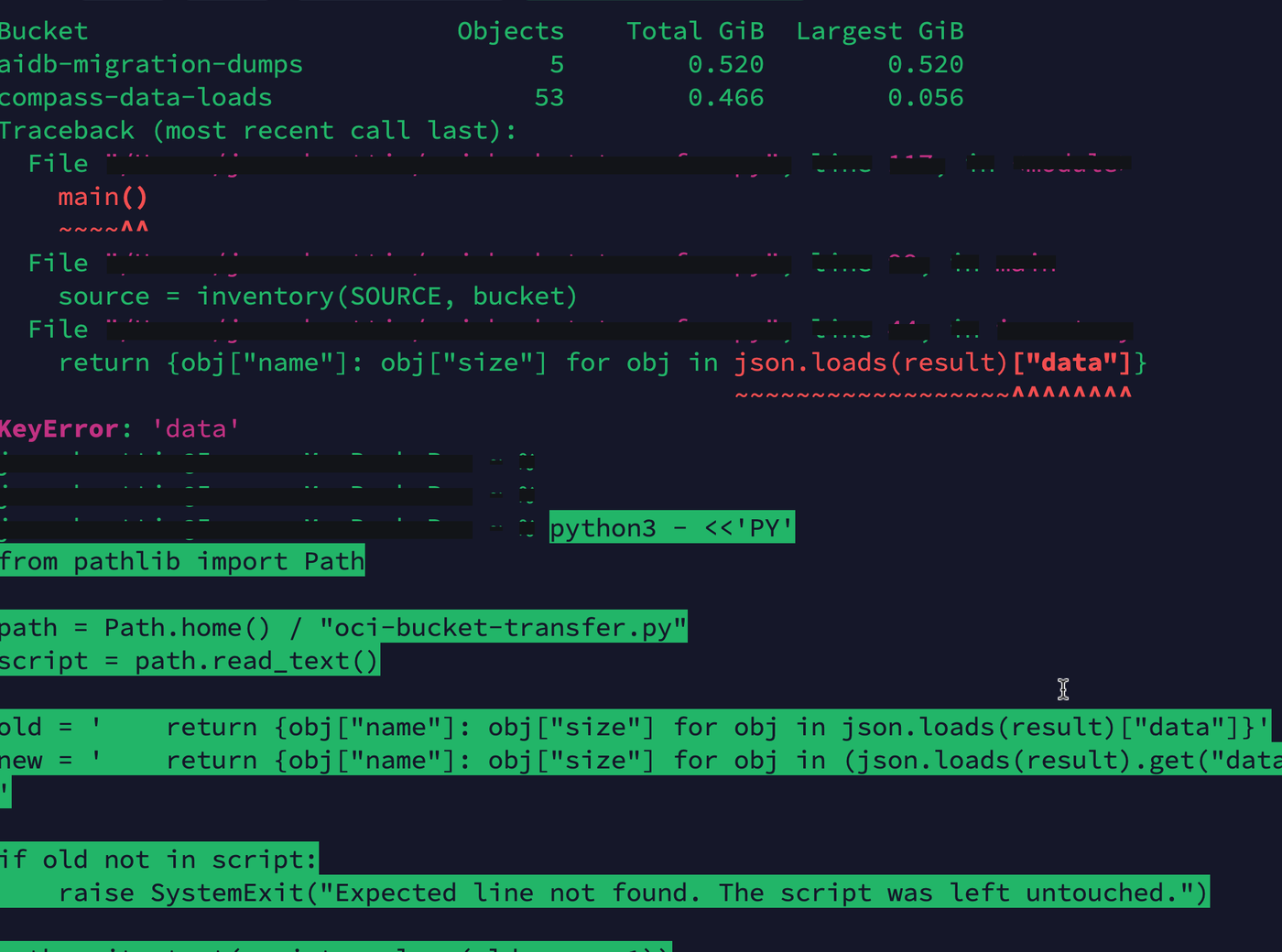
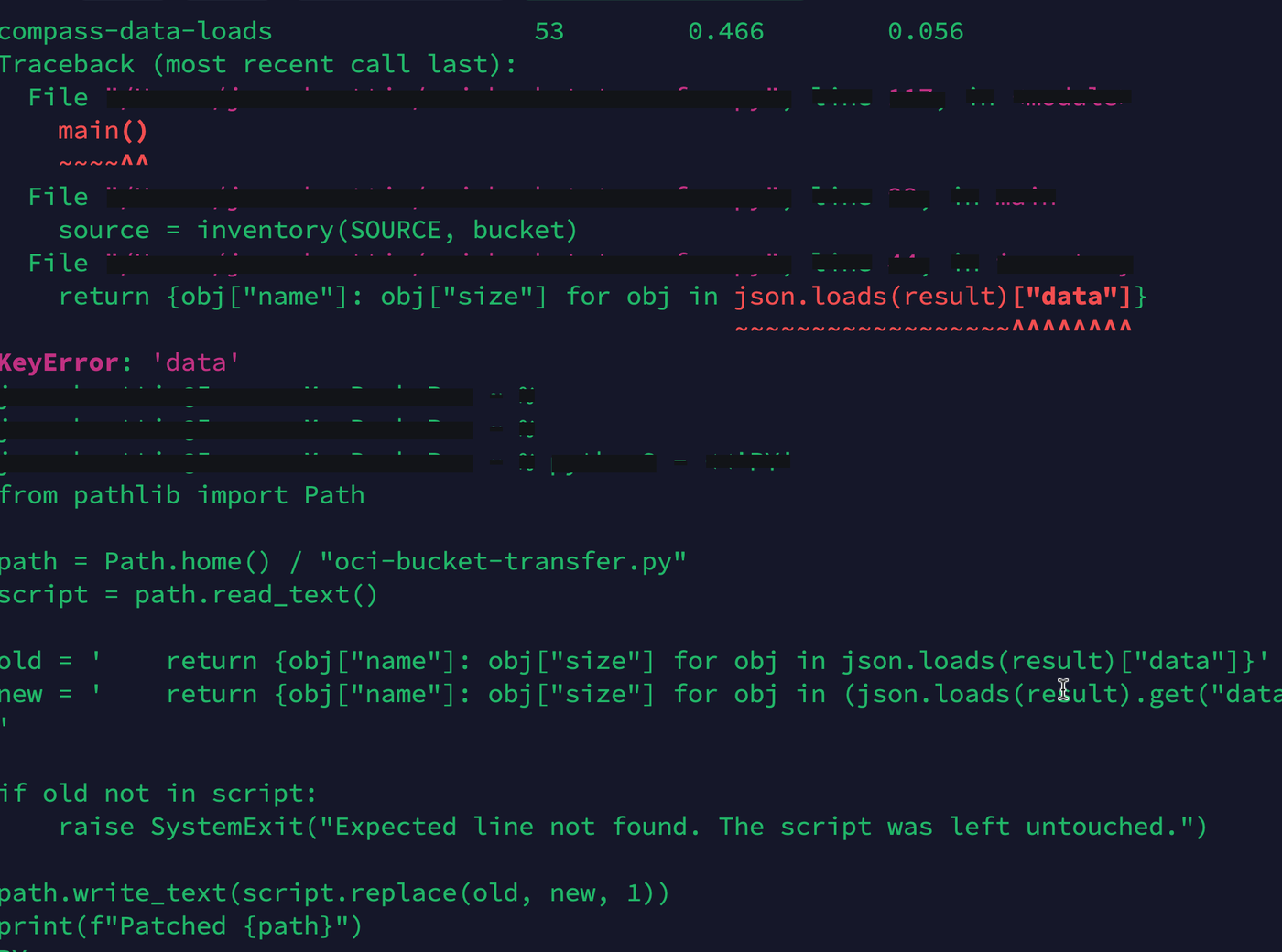
The first size run also exposed a bug. It stopped with KeyError: 'data' because I had assumed every successful CLI listing would carry a data field. Some OCI CLI versions omit data or return null on an empty listing. The inventory parser now handles {} and a missing or null data field in an otherwise recognised response, while failing on an unexpected response shape or an unsuccessful CLI call.
Show exactly what readers change
Change the profile, region, namespace, and bucket mappings in the EDIT THIS SECTION block. The first value in each pair is the source bucket name. The second value is the destination bucket name. Selecting a single bucket on the command line uses the source name.
BUCKET_PAIRS = (
    ("database-dumps", "database-dumps"),  # Same name on both sides
    ("app-data", "app-data-sovereign"),   # Different target name
)
Use public example names and namespace placeholders. Keep real customer identifiers, API key fingerprints, OCIDs, private keys, PAR URLs, and local usernames out of published files.
Script author: Jason Beattie
Short notes at the top of the script cover setup, the three commands, and how copy behaves. Download it to your transfer host, or copy from the fence below.
The complete file is also included below so you can copy it directly.
#!/usr/bin/env python3
#
# Author: Jason Beattie
# Blog:   Oracle Infrastructure Blogger
#         https://www.oracle-infrastructure-blogger.com/
# Guide:  Copying OCI Object Storage from Commercial Frankfurt to
#         EU Sovereign Cloud
#
# What this is
# ------------
# A small OCI CLI helper that copies Object Storage objects from one
# tenancy to another. I used it to move data from Commercial Frankfurt
# (eu-frankfurt-1) into EU Sovereign Frankfurt (eu-frankfurt-2) from a
# transfer host (my Mac). There is no native cross-realm copy for this,
# so each object is downloaded, uploaded under the same name, checksum
# checked, then the staging file is cleared.
#
# Setup (once)
#   1. Install the OCI CLI and create named profiles for both tenancies.
#   2. Edit SOURCE, TARGET, BUCKET_PAIRS, and STAGING_DIR below.
#   3. Replace the namespace placeholders with your real namespaces.
#   4. Make sure staging has room for the largest single object.
#
# Commands
#   python3 oci-bucket-transfer.py check
#   python3 oci-bucket-transfer.py size
#   python3 oci-bucket-transfer.py copy app-data
#   python3 oci-bucket-transfer.py copy
#
# Copy rules in plain English
#   - Missing objects get copied.
#   - Same name and size on both sides are skipped.
#   - Same name but different size stops the run so you can choose.
#   - Objects that only exist on the target are left alone.
#   - Bucket settings, versions, and object metadata are not copied.
#
# Download this file from the article, or save it as
# oci-bucket-transfer.py on your transfer host.
#
"""Copy Object Storage objects between two OCI tenancies with the OCI CLI.

Author: Jason Beattie (Oracle Infrastructure Blogger).

Edit SOURCE, TARGET, BUCKET_PAIRS, and STAGING_DIR below, then run
check, size, or copy.
"""

import argparse
import json
import shutil
import subprocess
import tempfile
from pathlib import Path


# =====================================================================
# EDIT THIS SECTION
# =====================================================================

# Format: ("OCI_CLI_PROFILE", "OCI_REGION", "OBJECT_STORAGE_NAMESPACE")
SOURCE = ("COMMERCIAL", "eu-frankfurt-1", "<source-namespace>")
TARGET = ("EU_SOV", "eu-frankfurt-2", "<target-namespace>")

# Format: ("SOURCE_BUCKET", "TARGET_BUCKET")
# If only the destination bucket name differs, change the SECOND value.
BUCKET_PAIRS = (
    ("database-dumps", "database-dumps"),
    ("app-data", "app-data-sovereign"),
)

# Set this to an existing directory with room for the largest object.
# Example: STAGING_DIR = Path("/Volumes/TransferDisk")
STAGING_DIR = Path.home()

# =====================================================================

GIB = 1024 ** 3


class TransferError(Exception):
    """An error that prevents a safe copy or verification."""


def run_oci(location, *arguments):
    profile, region, _ = location
    command = [
        "oci", *arguments,
        "--profile", profile,
        "--auth", "api_key",
        "--region", region,
    ]
    result = subprocess.run(
        command,
        check=True,
        stdout=subprocess.PIPE,
        text=True,
    )
    return result.stdout


def object_command(location, operation, bucket, *arguments):
    _, _, namespace = location
    return run_oci(
        location, "os", "object", operation,
        "--namespace-name", namespace,
        "--bucket-name", bucket,
        *arguments,
    )


def check_namespace(location):
    profile, _, expected = location
    actual = run_oci(
        location, "os", "ns", "get",
        "--query", "data", "--raw-output",
    ).strip()
    if actual != expected:
        raise TransferError(
            f"{profile}: expected namespace {expected!r}, got {actual!r}."
        )
    print(f"OK {profile}: namespace {actual}", flush=True)


def check_access(pairs):
    check_namespace(SOURCE)
    check_namespace(TARGET)
    for source_bucket, target_bucket in pairs:
        object_command(SOURCE, "list", source_bucket, "--limit", "1")
        object_command(TARGET, "list", target_bucket, "--limit", "1")
        print(f"OK object listing: {source_bucket} -> {target_bucket}", flush=True)


def inventory(location, bucket):
    output = object_command(
        location, "list", bucket,
        "--all", "--fields", "name,size", "--output", "json",
    )

    try:
        response = json.loads(output)
    except json.JSONDecodeError as error:
        raise TransferError(f"{bucket}: OCI returned invalid listing JSON.") from error

    # On an empty listing, some OCI CLI versions omit data or return null.
    if not isinstance(response, dict) or response.keys() - {"data", "prefixes"}:
        raise TransferError(f"{bucket}: unexpected OCI listing response.")
    rows = response.get("data")
    if rows is None:
        rows = []
    if not isinstance(rows, list):
        raise TransferError(f"{bucket}: expected a list of objects.")

    objects = {}
    for row in rows:
        if not isinstance(row, dict):
            raise TransferError(f"{bucket}: invalid object entry in listing.")
        name, size = row.get("name"), row.get("size")
        if not isinstance(name, str) or type(size) is not int or size < 0:
            raise TransferError(f"{bucket}: invalid object name or byte size.")
        if name in objects:
            raise TransferError(f"{bucket}: duplicate object name {name!r}.")
        objects[name] = size
    return objects


def report_sizes(pairs):
    print(f"{'Source bucket':28} {'Objects':>10} {'Total GiB':>12} {'Largest GiB':>12}")
    total_bytes = 0
    largest_bytes = 0
    for source_bucket, _ in pairs:
        objects = inventory(SOURCE, source_bucket)
        bucket_bytes = sum(objects.values())
        largest_object = max(objects.values(), default=0)
        total_bytes += bucket_bytes
        largest_bytes = max(largest_bytes, largest_object)
        print(
            f"{source_bucket:28} {len(objects):>10,} "
            f"{bucket_bytes / GIB:>12.3f} {largest_object / GIB:>12.3f}",
            flush=True,
        )

    free_bytes = shutil.disk_usage(STAGING_DIR).free
    print(f"\nTotal source data: {total_bytes / GIB:.3f} GiB")
    print(f"Largest source object: {largest_bytes / GIB:.3f} GiB")
    print(f"Free staging space: {free_bytes / GIB:.3f} GiB ({STAGING_DIR})")


def copy_object(source_bucket, target_bucket, name, size):
    free_bytes = shutil.disk_usage(STAGING_DIR).free
    if size > free_bytes:
        raise TransferError(
            f"Insufficient staging space for {source_bucket}/{name!r}. "
            f"Need {size:,} bytes and have {free_bytes:,} bytes."
        )

    print(f"COPY {name!r} ({size:,} bytes)", flush=True)
    with tempfile.TemporaryDirectory(prefix="oci-transfer-", dir=STAGING_DIR) as directory:
        staged_file = Path(directory) / "object"
        object_command(
            SOURCE, "get", source_bucket,
            f"--name={name}", "--file", str(staged_file),
        )
        downloaded_size = staged_file.stat().st_size
        if downloaded_size != size:
            raise TransferError(
                f"Size changed for {source_bucket}/{name!r}. "
                f"Expected {size:,} bytes and downloaded {downloaded_size:,}."
            )

        output = object_command(
            TARGET, "put", target_bucket,
            f"--name={name}", "--file", str(staged_file),
            "--no-overwrite", "--verify-checksum", "--output", "json",
        )
        if output.strip():
            print(output.strip(), flush=True)
        # OCI prints its own result, including when --no-overwrite skips a
        # destination object created after the initial target listing.


def copy_bucket(source_bucket, target_bucket):
    print(f"\n=== {source_bucket} -> {target_bucket} ===", flush=True)
    source = inventory(SOURCE, source_bucket)
    target = inventory(TARGET, target_bucket)

    for name, size in source.items():
        if name in target and target[name] != size:
            raise TransferError(
                f"Size conflict for {target_bucket}/{name!r}. "
                f"Source has {size:,} bytes and target has {target[name]:,} bytes."
            )

    for name, size in sorted(source.items()):
        if name in target:
            print(f"SKIP {name!r} (same name and size)", flush=True)
            continue
        copy_object(source_bucket, target_bucket, name, size)

    final_target = inventory(TARGET, target_bucket)
    for name, size in source.items():
        if final_target.get(name) != size:
            raise TransferError(
                f"Verification failed for {target_bucket}/{name!r}. "
                f"Expected {size:,} bytes and found {final_target.get(name)!r}."
            )

    print(f"VERIFIED {len(source):,} source names and byte sizes", flush=True)


def main():
    parser = argparse.ArgumentParser(description=__doc__)
    parser.add_argument("action", choices=("check", "size", "copy"))
    parser.add_argument("buckets", nargs="*", metavar="SOURCE_BUCKET")
    args = parser.parse_args()

    if SOURCE[2].startswith("<") or TARGET[2].startswith("<"):
        parser.error("Set both namespaces in the EDIT THIS SECTION block.")

    mappings = dict(BUCKET_PAIRS)
    if not mappings or len(mappings) != len(BUCKET_PAIRS):
        parser.error("Configure BUCKET_PAIRS with one mapping per source bucket.")

    selected = args.buckets or list(mappings)
    unknown = sorted(set(selected) - mappings.keys())
    if unknown:
        parser.error(f"Unknown source bucket(s): {', '.join(unknown)}")

    pairs = [(bucket, mappings[bucket]) for bucket in dict.fromkeys(selected)]

    if args.action == "check":
        check_access(pairs)
    elif args.action == "size":
        report_sizes(pairs)
    else:
        check_access(pairs)
        for source_bucket, target_bucket in pairs:
            copy_bucket(source_bucket, target_bucket)


if __name__ == "__main__":
    try:
        main()
    except subprocess.CalledProcessError as error:
        raise SystemExit(f"OCI CLI failed with exit code {error.returncode}.") from None
    except (OSError, TransferError) as error:
        raise SystemExit(f"Transfer error: {error}") from None
After you edit the namespaces and bucket pairs:
# Check both profiles and all configured source-to-target bucket pairs
python3 oci-bucket-transfer.py check

# Report object counts, sizes, and free staging space
python3 oci-bucket-transfer.py size

# Pilot one pair using the SOURCE bucket name
python3 oci-bucket-transfer.py copy app-data

# Copy all configured pairs sequentially
python3 oci-bucket-transfer.py copy
When the target already has folders and files
Object Storage folders are object-name prefixes. If the target already shows exports/november/, that does not create a local directory for the transfer. The full name exports/november/report.dmp is passed to the CLI as one argument. The local staged file uses a fixed temporary name inside a temporary directory.
Missing objects are copied. Existing objects with matching names and sizes are skipped. Size conflicts stop the run so I can decide which version belongs in the target. Target-only objects are left in place. If a transfer fails partway through, I rerun the same command and the script continues from the objects that are still missing.
Oracle references for the copy loop: oci os object get and oci os object put (--no-overwrite, --verify-checksum).
Verification and scope
New uploads use the OCI CLI checksum check against the staged file. After every bucket the script re-lists the target and checks that every source name and byte size is present. Objects skipped on a matching name and size need separate content verification if byte-for-byte equality matters.
For Data Pump, confirm every dump piece is present under its original name before import. The script copies current object payloads and names. Bucket configuration, version history, and per-object metadata are outside its scope.